
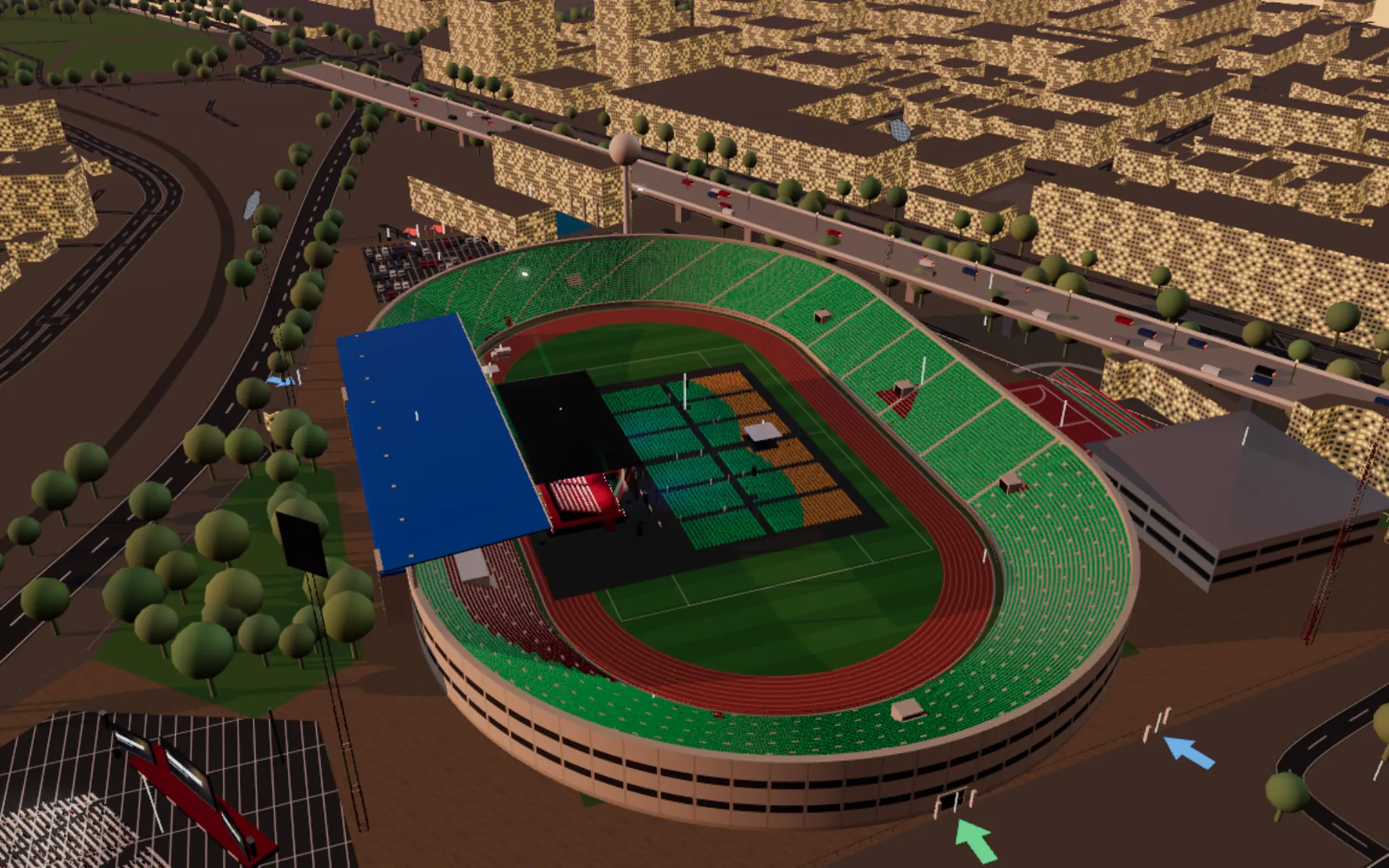
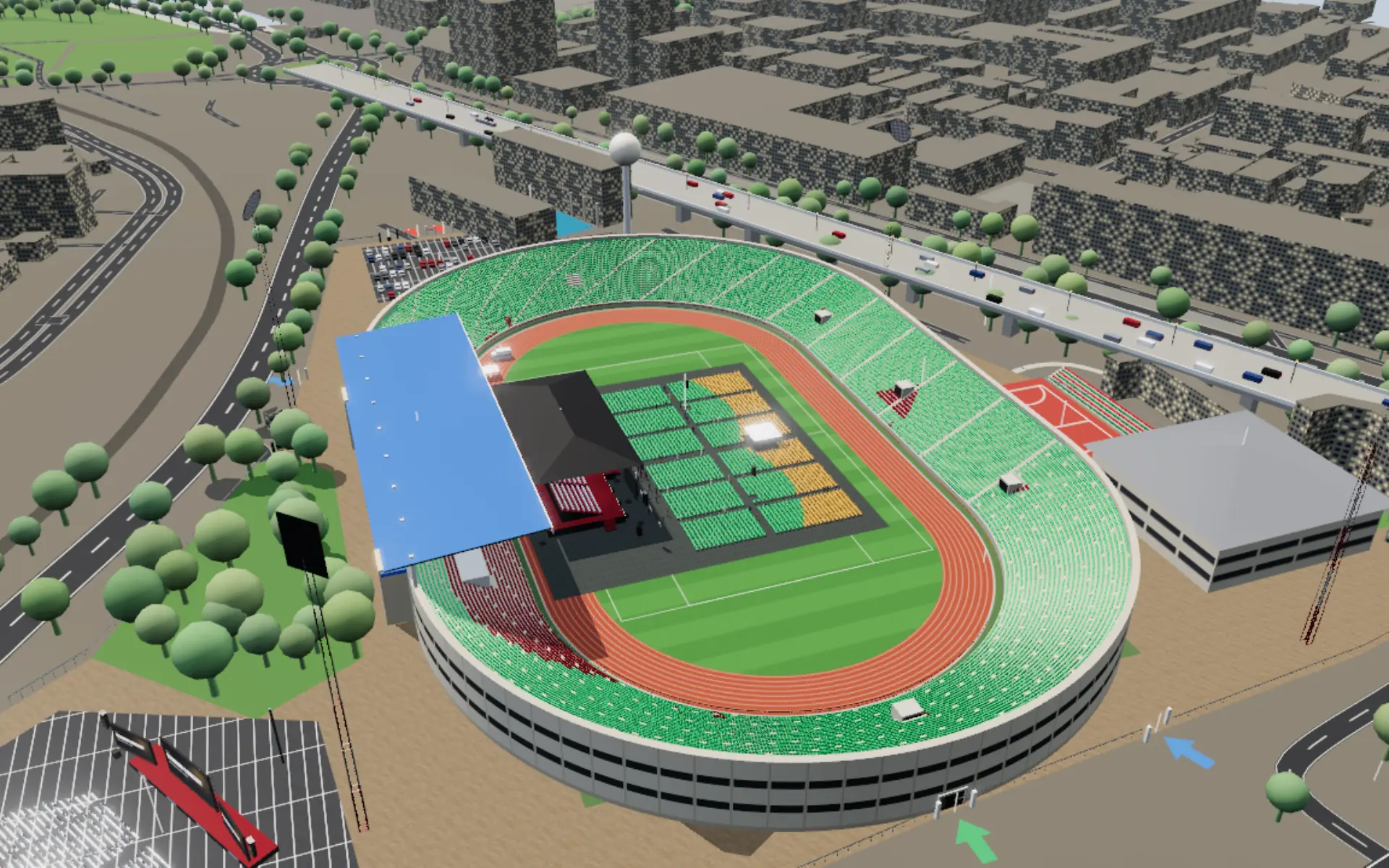
Seat-map embed and messages API
Put the 3D seat map on your event page with one iframe and drive it with postMessage: sync availability, receive holds, confirm payment, store the order. Your checkout never changes.
Seat-map embed
Every event page can sell seats from the 3D model. A ticketing company embeds the page, takes the payment itself, and tells the page which seats are sold.
Buyer journey
The booking view (?mode=tickets, the partner embed ?embed=1&mode=tickets)
Buyers get a booking page, not the planning console: the 3D room, the event's name, one panel and one next action (src/js/99-tk-zzbook.js; docs/benchmarks/byomid/BENCHMARK.md). Seats first:
- Pick seats in the 3D view (a click adds a seat, a second click removes it; the party grows with the clicks, up to 10 seats in one order) or on the Seat map (every seat from above, the same picking), or choose a party size with the stepper and press Best available (seats side by side, closest to the stage; the camera frames them from behind and above). Ticket-type chips (the price tiers, Standing when the floor has standing, Wheelchair when the event has wheelchair spaces) filter the seats and fly to them. A hover card shows the seat's section, row or table, seat, tier, all-in price and the view from it; a tag marks each chosen seat in 3D.
- The summary bar always shows the seats, the all-in total and a 10-minute hold timer from the first seat, and the one action, Continue (disabled with the reason while there is nothing to buy).
- Checkout opens as a sheet over the room (Seats · Details · Tickets): the order with the breakdown (tickets, booking fee, tax, total), the hold timer, name, phone (M-Pesa) or email, optional access needs, Pay. In a partner's frame (an allowed origin) the sheet shows the order and waits: your page takes the payment and sends
previz:paid. - Your tickets: the e-tickets with QR codes, Print or save PDF, Add to calendar (.ics).
Every message below is unchanged: previz:selection follows each pick, previz:hold is sent on Continue, previz:paid completes it and previz:purchased carries the order. Organisers (signed in, not in an embed or a share link) switch from the booking view to the planner's ticket tools with Organiser.
The planner's Tickets panel (Audience → Seating & tickets)
The planner's own panel keeps the step-by-step flow buyers know from Ticketmaster, SeatGeek and Eventbrite reserved seating:
- How many tickets? (1–10) and a price filter: tier chips and a maximum price (all-in when all-in pricing is on).
- Choose seats: Best available (the requested number of seats side by side in one row, closest to the stage, inside the filter; when no such block exists the buyer is offered seats apart, clearly flagged "not side by side"), or choose by hand on
- the 2D section map (top-down, stage at the top, sections coloured by tier, sold seats shown dark; hover or tap a section for its price and seats left; a tap zooms the 3D camera to the section and limits picking to it; the default entry point on phones),
- the seat list (section → row or table → seat checkboxes, fully keyboard and screen-reader usable, with announcements of every change and of the hold countdown),
- the seat chart (the Seat chart button in the panel header: every seat on a 2D top-down chart, see below),
- or the 3D view (tap seats; 👁 shows the view from a seat).
- Review: seats, all-in price per seat and the breakdown (tickets, booking fee, tax, total); reserve for 10 minutes.
- Checkout: countdown, buyer details, pay (a demo here; on a partner's site this is the partner's payment page).
- E-tickets with QR codes, printable.
The organiser tab (hidden from buyers: mode=tickets and embeds never show it) sets tiers, prices, per-tier quotas, fees, tax, currency, the on-sale window, section → tier assignment and blocked seats, and shows sales and revenue by tier and a sales CSV.
Standing tickets (general admission)
When the floor has standing (Audience → Pitch Standing or Seated + standing, or a library stage with people standing inside), step 1 offers Seats | Standing. Standing = general admission: no seat picking, a place in the standing area.
- Standing: the standing ticket types (a radio group: name, all-in price, places left) and how many (1–10).
- Review: "Standing — general admission", type × quantity, the all-in breakdown; reserve for 10 minutes.
- Checkout and e-tickets as for seats. Each ticket has seat id
GA:<tier>:<n>(numbered per tier), a code and a QR code (<event>|<order>|GA:<tier>:<n>|<code>), and says Standing — general admission · No. n.
A type is sold out when sold + held reach its quota: the buyer sees "Standing is sold out" (or "Only N Standing tickets left") and cannot continue. Places on hold come back when a hold runs out or is cancelled.
Organiser (Organiser tab → Standing (general admission)): the types (name, price, quota; + Standing tier, × for a type with nothing sold or held), sold / inside / on hold / left, a bar per type, and the limit: the standing capacity ({standCap} = standing area × density, plus a library stage's standing people) and never more than the capacity check's binding limit leaves after the seats (header Capacity chip). A quota above the limit is capped to it; a blank quota sells up to it. The sales CSV lists GA tickets (seat column Standing — general admission · No. n). While Tickets is open, standing figures fill the floor's standing area in proportion to the GA tickets sold.
Ticket store fields (TK_STORE, and the server's ticket store):
"gaTiers": [{ "id": "ga", "name": "Standing", "price": 2000, "quota": null },
            { "id": "gamuv2x", "name": "Early entry", "price": 3500, "quota": 500 }],
"gaCap": 5500,
"ga": { "sold": 3, "in": 0, "out": 0 },
"gaHolds": { "<holdId>": { "tier": "ga", "qty": 2, "until": 1760000000000 } },
"gaN": { "ga": 3 }| field | meaning |
|---|---|
gaTiers | standing ticket types; id matches [A-Za-z0-9_-]{1,40}; quota null = up to the limit, 0 = not on sale |
gaCap | the limit the page computed (written whenever Tickets opens with standing); the server never sells a type above it |
ga | totals for Sales by zone / Event day (99-tk-live): sold; in / out from door scans |
gaHolds, gaN | browser demo only: this browser's GA holds and the last ticket number per type |
The event file can set the tiers a new ticket store starts with (the venue-type templates do): event.json "tickets": {"tiers": [{"id": "vvip", "name": "Front tables", "price": 25000}, {"id": "vip", …}, {"id": "reg", …}], "gaTiers": [{"id": "early", "name": "Early bird", "price": 1500, "quota": 500}, …]}. tiers renames and prices the three default tiers by id (vvip = the sections nearest the stage, vip = the middle, reg = the back; the section → tier rule does not change), gaTiers replaces the one default "Standing" type. Once the organiser saves the store, the store wins. entrance (text) and start.clock ("HH:MM") are what the checkout and the e-tickets print under Entrance and Time.
Orders hold GA tickets like seats: tickets: [{seat: 'GA:ga:1', label: 'Standing — general admission · No. 1', tier, price, fee, tax, allIn, code, ga: true}] and the order carries ga: {tier, qty}.
Messages. GA travels in the same messages as seats:
| type | GA payload |
|---|---|
previz:selection | seats: [], ga: {tier, name, quantity, price, fee, tax, allIn} (when the buyer changes type or quantity) |
previz:hold | seats: [], ga: {tier, name, quantity}, until, total, currency, breakdown |
previz:purchased | order with ga: {tier, qty} and tickets {seat: 'GA:<tier>:<n>', label, tier, …, code, ga: true} |
previz:inventory (answer) | adds ga: [{tier, name, price, quota, left}] |
previz:open (to the page) | standing: true opens on the Standing choice |
previz:status (to the page) | ga: {<tier>: soldCount}: sold counts from your system (browser demo only; ignored with server sales) |
previz:paid (to the page) | unchanged: completes a GA hold like a seat hold |
With server sales the hold and order go through the server (below): POST /holds {ga: {tier, qty}}, then POST /orders.
Seat chart (2D)
Every seat of the inventory on one top-down chart, built from the same data as the 3D seats (stage at the top, real positions in metres): stand sectors as wedges of rows, floor blocks, banquet chairs round their tables. Seats are coloured by tier and state exactly like the 3D map; state is not shown by colour alone (held / sold / blocked dots are smaller, selected seats larger with a ring, wheelchair spaces are squares with the wheelchair symbol, companion seats rings). Wheel / pinch to zoom, drag to pan, +, − and Fit buttons. A tap on a seat chooses it (when zoomed out a tap zooms to the section first); choosing on the chart, in the seat list or in 3D is one selection, so the three stay in sync. View from seat (or V) flies the 3D camera to the seat.
Keyboard and screen readers: the sections are one tab stop (roving tabindex). Arrow keys move between sections, Enter opens one; then the arrow keys move from seat to seat (along the row first), Home / End go to the ends of the row, Enter or Space chooses, V shows the view, Escape goes back to the sections; + / − / 0 zoom. Each seat is announced as "Section · Row · Seat, tier, price, state[, wheelchair space | companion seat]".
The seats are drawn on a canvas with an SVG overlay that holds only what assistive tech needs (one shape per section, and one focusable circle per seat of the open section), so a 30,000-seat stadium stays fast: on a software renderer the chart opens in ~0.1 s and a zoom / pan frame draws in 2-25 ms (as one SVG circle per seat a zoom frame took 30-370 ms and a full recolour 0.3-3 s). On phones (and narrow embeds) the chart opens full screen with a Done button.
Accessible seating: wheelchair spaces and companion seats
"tickets": { "access": {
  "wheelchair": [
    { "section": "Floor *", "row": "front", "at": "ends", "n": 4 },
    { "section": "Stand *", "row": 1, "at": "ends", "n": 8 },
    { "zone": "E1", "n": 2 },
    { "rect": { "cx": 0, "cz": 40, "hx": 6, "hz": 1 } },
    { "seats": ["F:Floor A:12:1", "S:Main Dias:1:4"] }
  ],
  "companion": "adjacent"
} }
Each rule names seats that are sold as wheelchair spaces (a removable chair: the space is the chair's place plus the room beside it; while Tickets or Guests is open it is marked in 3D with a blue bay and the wheelchair symbol on the floor, the symbol over the chair, and a ring round its companion seat):
| rule | seats |
|---|---|
seats: [ids] | exactly these ticket ids |
rect: {cx, cz, hx, hz} | every seat whose centre is inside the rectangle (scene metres; all rows unless row is given) |
zone: "<id>" | seats in a floor ticket zone (floor.zones). Banquet rounds: one chair at each of the n tables closest to the stage (the chair furthest from it) |
section: "Floor *" | [names] | sections by name, * matches anything ("Stand 1*", "Main Dias", "Zone A") |
Options for rect / zone / section: row = a row number (1 = closest to the stage), "front" (default for zone and section) or "back"; at = "ends" (default: both ends of the row and the seats next to a gap in it, i.e. on an aisle), "start", "end" or "all"; n = at most this many spaces from the rule, closest to the stage first.
companion: "adjacent" (default: the next seat along the row or round the table, else the nearest seat within 2.2 m), "none", a list of ids (the n-th is the companion of the n-th space, in rule order), or {"<wheelchair id>": "<companion id>"} (others stay adjacent). python tools/validate.py checks the shape and names the field when something is wrong (unknown keys, ids that are not ticket ids, zones that do not exist, …).
Behaviour:
- Ordinary Best available never offers a wheelchair space or a companion seat; both can still be picked by hand.
- The buyer's Wheelchair space filter (step 1) makes Best available return a free space and its companion seat together (with more tickets, the nearest seats in the same section join them).
- Access needs: an optional free-text field at checkout, stored on the order (
order.access, alsoorder.buyer.access), shown with the e-tickets; each ticket says Wheelchair space / Companion seat. - Organiser: spaces in total / sold / free, companion seats, and a list of every space with its companion, state, buyer and access needs.
- Guests: an Access needs field and CSV column (
access;yes= wheelchair user). Auto-seat puts guests whose needs mention a wheelchair into the spaces first, with a member of their party in the companion seat, and keeps the remaining spaces and companion seats free of other guests. - Sheet: a capacity line "Wheelchair spaces (ticketed): N spaces · N companion seats", or "No wheelchair spaces set".
- Messages: seats in
previz:selection,previz:hold,previz:inventoryand the tickets ofpreviz:purchasedcarryaccess: 'wheelchair' | 'companion'when they are one;previz:paidmay sendbuyer.access.
The public templates ship with a few spaces at the ends of the front rows (stadium stands and floor, ballroom rows, gala tables near the stage) so the feature is visible; events without tickets.access show none.
Embed
<iframe src="https://event-map-phi.vercel.app/<event>/index.html?embed=1&mode=tickets"
        style="width:100%;height:720px;border:0" allow="fullscreen"></iframe>
mode=tickets opens straight into seat picking and hides the planning menus. embed=1 turns on the messages below.
Allowed origins (security model)
The seat map only talks to sites the organiser has approved:
**allowed = event.tickets.origins ∪ the owner's organisation embedOrigins ∪ the seat map's own site.**
event.tickets.origins: e.g.["https://tickets.example.com", "https://*.example.com"](*.matches subdomains; no trailing slash). This list ships with the event and is what a partner integration should use.org.embedOrigins(Settings → Integrations): read from the signed-in account. In this demo accounts live in the browser, so this only applies in a browser where the owner is signed in; a buyer's browser never has it. Useevent.tickets.originsfor real embeds until the server version.- Incoming
previz:*messages are read only whenevent.originis allowed;previz:statusandpreviz:paidmust also come from the embedding page itself (event.source === window.parent). - Outgoing messages are posted with
targetOrigin= the embedding page's origin (location.ancestorOrigins[0], elsedocument.referrer), only when that origin is allowed. Never'*'. - When the map is framed by a site that is not allowed, it opens view only: buyers can look around and see the view from seats, but cannot hold or buy, and a note says why. It posts nothing to that site.
- Clickjacking: an allow-list in the page cannot stop a site from framing it. Production hosting should also send
Content-Security-Policy: frame-ancestors 'self' <allowed origins>for the embed route.
All-in pricing
"tickets": { "currency": "KES", "feePct": 5, "feeFixed": 100, "taxPct": 16, "allIn": true,
             "origins": ["https://tickets.example.com"],
"onSale": { "opens": "2026-10-01T09:00", "closes": "2026-11-08T12:00" } }| field | meaning | default |
|---|---|---|
currency | ISO code; else the signed-in user's org.currency; else KES | KES |
feePct | booking fee, % of the face value | 0 |
feeFixed | booking fee per ticket, in the currency | 0 |
taxPct | tax (VAT) on face value + fee | 0 |
allIn | show the all-in price (face value + fee + tax) on the map, chips and lists | true |
onSale.opens / onSale.closes | local date-times; before / after, buyers see "Not on sale yet" / "Sales closed" and cannot hold | always on sale |
origins | allowed embedding origins (see above) | [] |
Per ticket: fee = price × feePct/100 + feeFixed, tax = (price + fee) × taxPct/100, allIn = price + fee + tax (rounded to cents). The organiser can change fees, tax, currency and the on-sale window in the Organiser tab; those changes are kept with the ticket data (see Storage). Tiers may carry quota (tickets to sell in that tier; held and sold seats count against it).
Seat-view pricing
Every sellable seat has a view score (0-100) and rating (Excellent / Great / Good / Fair / Restricted view) from the seat card's own model (window.VSCORE, src/js/99-tk-zzzscore.js). The organiser's "Suggest prices from the view" turns them into tiers (one per view band, split by area where a band lies in far-apart parts of the venue) priced from a base price × band factors (1.6 / 1.3 / 1 / 0.75 / 0.5, editable), rounded to sensible steps in the event currency; Apply is one undo step and writes tiers, assign and seatTier to the ticket store. Sold and held seats keep their tier and price. The booking view shows the rating and its main reason on the seat card and the cart rows, offers "Best view first" for Best available, and shows a picture of the view from the seat before payment (an AI render when the server has an image model and the viewer is signed in, else the 3D model's still; always captioned "Illustration").
Seat ids
| Kind | Id | Example |
|---|---|---|
| Stand seat | S:<section>:<row>:<seat> | S:Stand 107:12:34, S:Main Dias:3:18 |
| Floor theatre seat | F:<zone or block>:<row>:<seat> | F:Floor B:4:11, F:Zone A:2:7, F:Zone A:B-2:7 (see below) |
| Banquet round | T:<table>:<seat> | T:14:6 |
| Venue fixed seat (a theatre's stalls / circle, an auditorium's rake, an arena's tiers, a pew place) | V:<section>:<row>:<seat> | V:Stalls front:3:10, V:Circle:2:5, V:Pews back left:9:2 |
| Kit seat (chair rows, a head table) | K:<prop id>:<row>:<seat> | K:k1b5y727:1:4 (section: the block's name, e.g. Block A) |
| Kit round table | T:<prop id>:<seat> | T:k9xyz:4 (table name e.g. R1) |
| Standing (general admission) ticket | GA:<tier>:<n> | GA:ga:12 (not a seat: only on tickets, never in a seat hold) |
Rows count from the front (closest to the stage); seats count along the row. Ids are stable for a given layout; moving the stage or changing the floor plan changes the floor seats, so publish the layout before selling. A venue's fixed seats never change with the floor; kit seats are keyed by the kit item's own id, so moving the item keeps its ids (the ticket store's tables map carries each kit item's section for the server's pricing).
Every seat id names one chair. A ticket zone can cover seats of two floor blocks (rows either side of an aisle), whose rows and seats are numbered within each block: where two chairs would share an id, the one in the first block keeps it and the other's row carries its block's letter (F:Zone A:B-2:7 = row B-2, seat 7). Chairs whose id is their own never change.
Messages from the page (to window.parent, allowed origins only)
Every message has type and event (the event id).
| type | payload | when |
|---|---|---|
previz:ready | viewOnly | the seat map is open |
previz:quantity | quantity, filter: {tiers, max} | the buyer changes the number of tickets |
previz:selection | seats: [{id, label, tier, price, fee, tax, allIn, access?}] | the buyer picks or drops a seat |
previz:hold | seats, until (ms epoch), total, currency, breakdown: {subtotal, fees, tax, total} | the buyer reserves the seats (10 minutes); total is all-in |
previz:purchased | order: {id, at, buyer, currency, subtotal, fees, tax, total, ext, access?, tickets:[{seat, label, tier, price, fee, tax, allIn, code, access?}]} | the order is complete |
previz:inventory | seats: [{id, section, row, seat, access?}] | answer to previz:inventory |
previz:closed | – | the buyer closed the seat map |
Messages to the page (iframe.contentWindow.postMessage, from an allowed origin)
| type | payload | effect |
|---|---|---|
previz:open | tab?: 'buy' | 'manage', quantity? | open the seat map (optionally with a quantity) |
previz:quantity | quantity (1–10) | set the number of tickets |
previz:status | seats: {<id>: 'sold' | 'held' | 'blocked' | 'free'} | sync availability from your system (embedding page only) |
previz:paid | buyer: {name, phone, email}, ref | your payment succeeded: the held seats become sold, e-tickets are shown (embedding page only) |
previz:inventory | – | ask for the full seat list (to load into your system) |
previz:hello | – | answered with previz:ready (viewOnly, seats, currency) once the seat map is open and its seats are built; nothing otherwise. a host posts it after attaching its listener, as a backstop for a previz:ready it missed |
A typical flow: on previz:ready send previz:status with what is already sold; on previz:hold run your payment for breakdown.total; on success send previz:paid; store the previz:purchased order and its ticket codes (the QR codes encode <event>|<order>|<seat>|<code>).
Storage: browser demo or the Event Map server
Without the server (the site's api is not set, the buyer is signed out, or the page is a public share link) the seat map keeps tiers, fees, holds and sales in the buyer's browser (localStorage previz.tickets.<event or project>). Holds and sales are then per browser: two buyers on two devices do not see each other's holds, and a previz:paid message is trusted as sent. That is right for demos and for a partner that owns the inventory through the messages above, and it is not a ticketing backend. Anonymous buyers on a public share link always get this demo behaviour.
With the server (docs/backend.md) the seat map sells a project's seats through it (src/js/99-tk-server.js) when the page is opened with ?project=<id> by the project's owner or an editor, or inside a partner embed with an embed token (below):
- every seat the buyer picks (a click in 3D, the seat list, Best available) is held on the server at once for 10 minutes; if someone else just took it, the seat is dropped with a clear message ("Stand 107 · Row 4 · Seat 9 was just taken by another buyer"); the seat and review steps show "Held for you until 14:32";
- Reserve turns those picks into one fresh checkout hold in one transaction; Pay makes the order with an idempotent
paymentRef(the demo payment id, or yourpreviz:paidref), and the e-tickets carry the server's ticket codes; - seat states come from the server (every 10 s while the seat map is open and after each action);
previz:statusmessages are ignored, because the server is the truth; with server salespreviz:paidmust carrybuyer.email.
The tiers, prices, section → tier assignment, blocked seats and settings stay in the project's ticket store (GET|PUT /v1/projects/{id}/tickets, saved whole with a version check); the server prices each ticket from it and keeps its blocked seats in step with the seat states.
Embedding with server sales
Your server trades your partner key for a 10-minute token scoped to the project (POST /v1/embed/token with event = <project id>, see docs/backend.md), then frames
<iframe src="https://event-map-phi.vercel.app/<template>/index.html?embed=1&mode=tickets&project=<project id>#et=<token>"></iframe>The page takes the token out of its address at once. Or send it after load: iframe.contentWindow.postMessage({type: 'previz:token', token}, <map origin>) (accepted only from an allowed origin, from the embedding page itself); send a fresh one before the old one expires. Buyers act through the token: holds belong to your partner key, so a fresh token can buy a hold an older token took. The key's owner must be the project's owner or an editor. Publish the floor layout before you sell: a buyer's page builds the template's seats (a project's own layout changes are not in an anonymous buyer's browser).
Server sales API
All JSON, on the Event Map server. Who may call: account = Authorization: Bearer <session token> of the project's owner or an editor (viewers may only read seats); embed = x-embed-token: <partner embed token> for this project; scanner = x-scanner-key: <scanner key> of this project. Anyone else: 401 without credentials, 404 for an account that cannot see the project, 403 for a credential that is not allowed this call.
| call | who | answer |
|---|---|---|
POST /v1/projects/{id}/holds {seats:[seatId], ttl?, release?} | account, embed | 201 {holdId, until, seats}; 409 {error, taken:[seatId]} |
POST /v1/projects/{id}/holds {ga:{tier, qty}, ttl?, release?} | account, embed | 201 {holdId, until, seats:[], ga:{tier, name, qty, price}, left}; 409 {error, left, soldOut, quota}; 404 type not on sale |
DELETE /v1/projects/{id}/holds/{holdId} | the buyer who holds it | 204 (also for an expired or bought hold) |
POST /v1/projects/{id}/orders {holdId, buyer:{name, email}, access?, paymentRef} | the buyer who holds it | 201 {orderId, tickets:[{code, seatId, tier, price}]}; 410 hold ran out |
GET /v1/projects/{id}/seats | account (any role), embed | {version, seats:{seatId:{st, until?}}, ga:{tier:{sold, held, inside, out}}} |
POST /v1/projects/{id}/scans {code, gate, dir, id?, at?} | account, scanner | {result, seatId?, tier?, ga?, at} |
GET /v1/projects/{id}/live | account, scanner | {sold, inside, byGate, bySection, ga:{sold, held, inside, out}, updated} |
GET /v1/projects/{id}/orders | account | {orders:[{id, paymentRef, buyer, access, total, at, tickets}]} |
GET /v1/projects/{id}/scan-info | account, scanner | {id, name, template, date, as} (the door page's set-up) |
POST /v1/projects/{id}/scanner-keys {name?} | account | 201 {id, name, key, prefix, created}: the key is shown once |
GET /v1/projects/{id}/scanner-keys | account | {keys:[{id, name, prefix, created, lastUsed, revoked}]} |
DELETE /v1/projects/{id}/scanner-keys/{keyId} | account | 204 |
GET /v1/projects/{id}/tickets | account, embed (read only) | the ticket store {data, version} |
POST /v1/projects/{id}/seat-moves {key, reason?, moves:[{from, to, tier?}], needs?:[seatId]} | account | 201 {moved:[{from, to, code, orderId, tier}], skipped:[{from, to, why}], needs:[{from, orderId}]}; 200 + idempotent-replay for a key already used |
GET /v1/projects/{id}/seat-moves | account | {moves:[{key, from, to, kind, why, state, orderId, code, reason, tier, at, ref, buyer}]} (newest first) |
Holds. seats: 1 to 50 seat ids (see Seat ids). ttl: seconds, 60 to 1200, default 600. All or nothing in one transaction: free seats are inserted and expired holds taken over by a single INSERT … ON CONFLICT DO UPDATE … WHERE state = 'held' AND until < now() statement (never check-then-insert), seats taken in sorted order (no deadlocks); if any seat is held, sold or blocked the whole hold is refused with 409 and taken lists those seats. A floor seat (F: / T: / K:) the plan no longer builds (the ticket store's inv, written by the organiser's 3D page: the usable floor's guard left it out, or the guests were changed) is refused with 409 {error: "That seat is no longer in the plan", gone:[seatId]}, on the hold and again on the order. Of 20 buyers racing for one seat exactly one gets it. release (optional, an addition to the original contract): hold ids of the same buyer to give up in the same transaction, so seat-by-seat picks become one checkout hold with no moment where the seats are free. An expired hold counts as free everywhere (seats, new holds, orders); a sweep deletes expired rows every minute.
Standing (GA) holds. {ga: {tier, qty}} instead of seats (not both): qty places (1–50) of the standing type tier from the ticket store's gaTiers. Its quota is the type's quota, never more than the store's gaCap; a type with no quota sells up to gaCap; with neither it is not on sale. In one transaction the server locks the type's row in ga_tiers (migration 005; created on first use), counts sold tickets + live GA holds with the clock at that moment, and holds or refuses: 409 {error: "Only 3 Standing tickets left" | "Standing is sold out", left, soldOut, quota}. GA holds of one type are taken one at a time, so of 20 buyers racing for the last 10 places exactly 10 get one; holds expire like seat holds (their places count again as soon as until passes), release and DELETE /holds/{holdId} work the same. GA orders: the same call and idempotency; under the type's lock the hold must still be live, then qty tickets are made with seat ids GA:<tier>:<n> (numbered on per type), section Standing (general admission), the type's name and price.
Orders. Idempotent on (project, paymentRef): a retry, even a concurrent one, returns the same order and the same tickets (status 201, header idempotent-replay: true); no ticket is made twice. 409 when the paymentRef was used for another hold, or the hold was already bought under another paymentRef; 403 when the hold belongs to another buyer; 410 when the hold ran out or was released (nothing is written, the seats are back on sale). buyer.email is required. Each ticket: code = XXXX-XXXX-XXXX (60 random bits, unique), tier and price (face value) from the project's ticket store at the time of sale: the seat's own tier (seatTier), else its section → assign → tier, else the last tier, as on the seat map. Fees and tax are shown by the page; the server records face value. Per-seat tiers. Seat-view pricing (Tickets → Organiser → Suggest prices from the view) can put single seats on a tier of their own: the store's seatTier = {seat id: tier id}. The page (tierOf) and the server (priceOf in server/src/routes/sales.ts, since 2026-10-22) both price a seat by its own tier first, else its section's (assign), else the last tier; a seatTier entry naming a tier that is not in tiers is ignored. A sold or held seat is pinned there to the tier it was priced at, so a repriced section never changes what a held buyer pays. GET /v1/projects/:id/seats answers pricing: "seat" on servers that do this; a page talking to an older server (no pricing) offers only "Keep my sections, just reprice them" and keeps sections with sold or held seats on their tier. Seat moves re-seat a holder on a free seat of their own tier (the seat's, else its section's); a moved ticket keeps the tier and price it was sold at, and a moved hold is pinned to the holder's tier by the move itself (see Seat moves: tier), so an order placed before the page's next ticket-store save is still priced at it. The order of precedence when a held seat is bought: the move's pin, the seat's own seatTier, its section's tier, the last tier.
Seat moves. The owner's rule (2026-10-16): a layout change that takes away a seat with a ticket sold or held (the usable floor's guard, a re-lay, the number of guests, the stage, the kit, a drawn room) goes through, and the holder is re-seated on the nearest free seat of the same price tier, same section first, a party side by side in one row or at one table where it can be (src/app/lib/reseat.js); a holder with no free seat of that tier is listed as "needs a seat", never dropped. The organiser's 3D page plans the moves (99-tk-reseat) and sends them in a batch with its own key (8 to 80 of A-Z a-z 0-9 _ . : -; up to 500 moves and 500 needs). Each move is made under row locks, in seat order: the old seat must still be sold or live-held (else skipped not held: already moved or released), the new one free or an expired hold (else skipped taken: someone bought it meanwhile; the page plans again). A sold seat's ticket keeps its code, tier and price (what was paid) and takes the new seat id and its section; a held seat's hold takes the new seat, so the buyer's checkout goes on. Each move may carry tier, the holder's price tier id (the page sends the tier the holder was priced at: their seat's own seatTier, else their section's); without it the server takes the pin an earlier move left on the old seat, else the old seat's own seatTier entry. The server writes that tier on the new seat's row in the same transaction as the move (migration 020, seat_status.tier), and POST /orders prices a held seat by it before anything in the ticket store, so a buyer who pays between the move and the page's next ticket-store save (which adds the new seat to seatTier) is charged their own tier, never the new seat's section tier (2026-10-22). The pin lives with the hold: released or run out, the seat goes back on sale at its own price. It is kept out of the versioned ticket store on purpose: a server write there would turn the organiser's own next save into a conflict. A sold seat's ticket already carries its tier and price; the pin changes nothing there. A tier that is not a string of 1 to 80 characters is refused (400); one the store does not list is recorded and passed over when pricing. Every move, skip and "needs a seat" is one row of seat_moves (migration 016) with the batch's reason, the order, the tier (migration 020) and who sent it: the organiser's list (GET), with the buyer from the order. The same batch sent again (the same key) changes nothing and returns what was done. The page also keeps the list in the ticket store (moves, needs).
Seat states. st is held (with until, an ISO time), sold, in (sold and scanned in) or blocked; free seats are left out. version goes up with every change (a hold, a release, an order, an entry or exit, a blocked-seat change).
Scans. code: the ticket code as printed, lower case or without dashes, or the whole QR text (<event>, <order>, <seat>, <code> joined by a vertical bar: the last part is used). gate: the gate's name (up to 60 characters). dir: in (default) or out. result: admitted (now inside), already-in (was inside: check the holder), exited (now outside; with wasInside: false when the ticket was not inside), unknown (no such ticket in this project) or not-sold (cancelled). A ticket's answer also carries seatId, tier, section and label (what to show for the seat, as on the e-ticket: Table 7 · Seat 4 or Block A · Row 2 · Seat 5 for kit tables and chair blocks, whose ids carry a prop id; absent when the seat id reads well by itself). Every scan is recorded, unknown codes too. A phone's offline queue sends id (its own unique id for the scan) and at (when it was scanned): a resend with the same id returns the first answer (replay: true) and is not recorded twice.
Live. sold = valid tickets, inside = tickets inside now, byGate = {gate: {in, out}} (entries and exits that changed who is inside; a gate that only saw refusals shows 0 and 0), bySection = {section: {sold, inside}} with the section from the seat id (S: and F: the part after the kind; T: the table's zone from the ticket store's tables map, which the 3D page writes, else Floor; GA: tickets are Standing (general admission)), ga = standing totals (sold, held in live GA holds, inside, out = scanned out and not back in), updated = the last scan's time. GA codes scan like seat codes (admitted, already-in, exited), with ga: true in the answer; the door page shows "Standing — general admission".
Scanner keys. One per door team (emsk_…), made in the project hub (Tickets → Door check-in), shown once, stored as SHA-256 + an 8-character prefix, revocable. A scanner key can only scan and read the live counts and the door page's set-up (scans, live, scan-info); everything else is 403. Door staff open /app/scan/?project=<id>#k=<key>: the key sits in the address hash, so it is never sent to a server or in a referrer, and the page removes it from the address and keeps it on that phone until "Forget scanner key".
Door check-in page (/app/scan/)
Phone first: the gate (the venue's gates, or a name typed), In / Out, the camera reading QR codes with the BarcodeDetector API (Chrome and Edge on Android; elsewhere the code is typed), one large result (Admitted, Already in, Exited, Unknown ticket, Not valid) with a sound and a vibration, counts for the gate and inside / sold, and the recent scans. Offline, scans wait in a queue on the phone (shown as "Saved offline"; a code already scanned in on that phone is flagged) and are sent when the connection is back.
Still roadmap
| call | purpose |
|---|---|
POST /v1/webhooks/payments (partner → us, HMAC-signed, idempotent by payment ref) | payment captured server to server, with no page in between; today the partner's page (or its server, with an embed token) calls POST /orders with its paymentRef |
GET /v1/projects/{id}/stream (SSE / WebSocket) | live seat states pushed to every open seat map (today: GET /seats every 10 s) |
POST /v1/orders/{id}/refund | refunds: tickets void (scans answer not-sold), seats back on sale |
| seat tier quotas on the server | seat tiers' quotas are checked by the page only (standing GA quotas are enforced by the server) |
Per-partner API keys and the allow-listed origins are set per organisation in Settings → Integrations.
Origin allow-list
For a live on-sale each partner registers the origins that embed the seat map (for example https://tickets.example.com). The page then:
- ignores any
previz:*message whoseevent.originis not on the list; - posts its own messages to the registered origin instead of
*; - opens view only (look around, no holds or purchases, nothing posted) inside a frame on an unregistered site.
Status: enforced in the page. The list ships with the event (event.tickets.origins, *.example.com matches subdomains). One limit remains (see the roadmap): hosting should also send Content-Security-Policy: frame-ancestors for the embed route, because a page cannot stop other sites from framing it.
Server API
With the Event Map server the seat map keeps the same messages, and tiers, holds and sales move to the server:
- holds checked and expired on the server, all or nothing, so two buyers can never hold the same seat;
- orders, seat states and live counts over a REST API, signed by the planner's account or a partner's embed token;
- ticket validation at the door: the scanner page on a phone, with the event's scanner key.
Still on the roadmap: webhooks (payments server to server, holds, purchases, layout changes), live seat states pushed to open seat maps instead of polling, and refunds. The reference below lists every call. Tell us what your integration needs first.