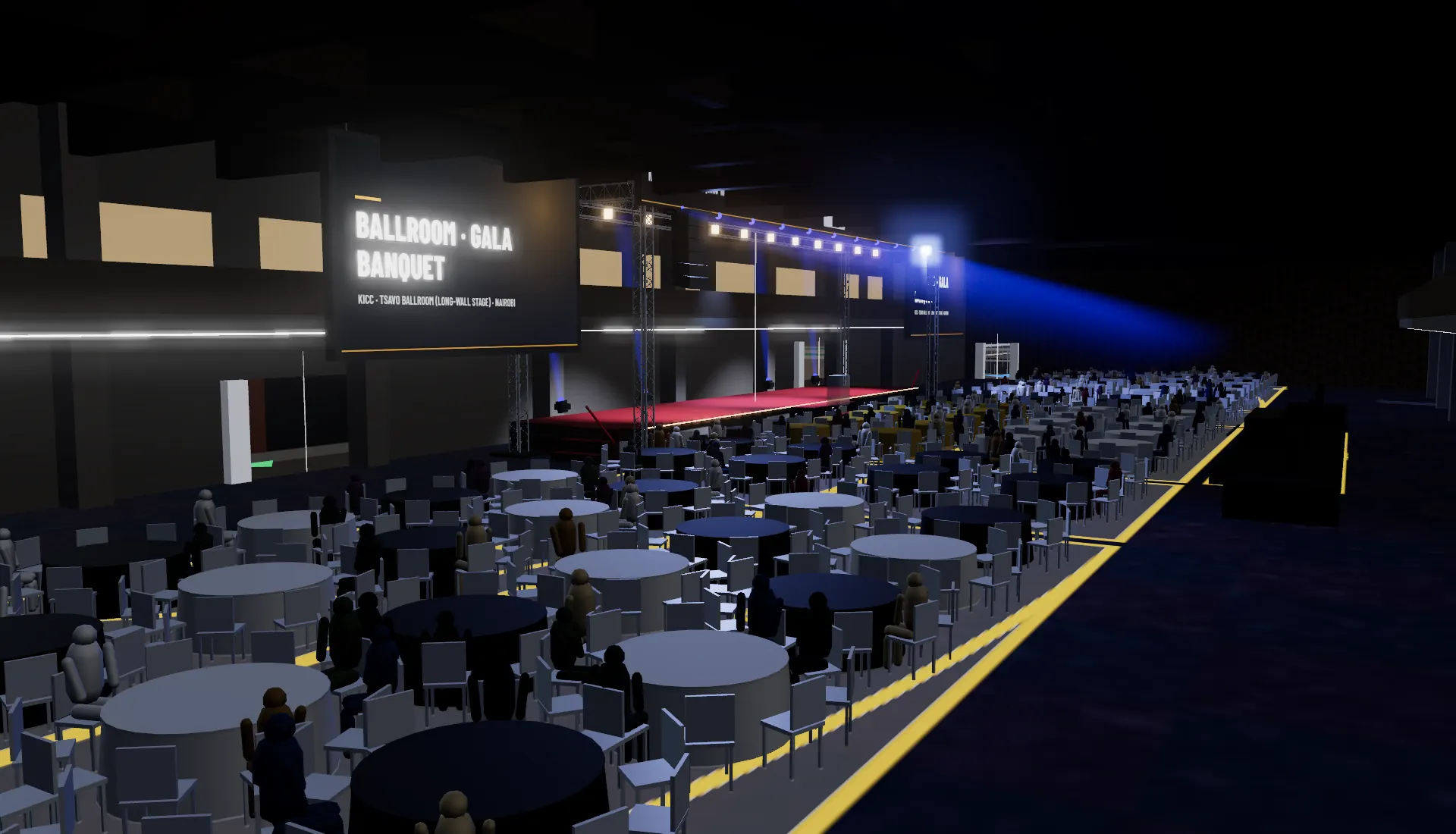
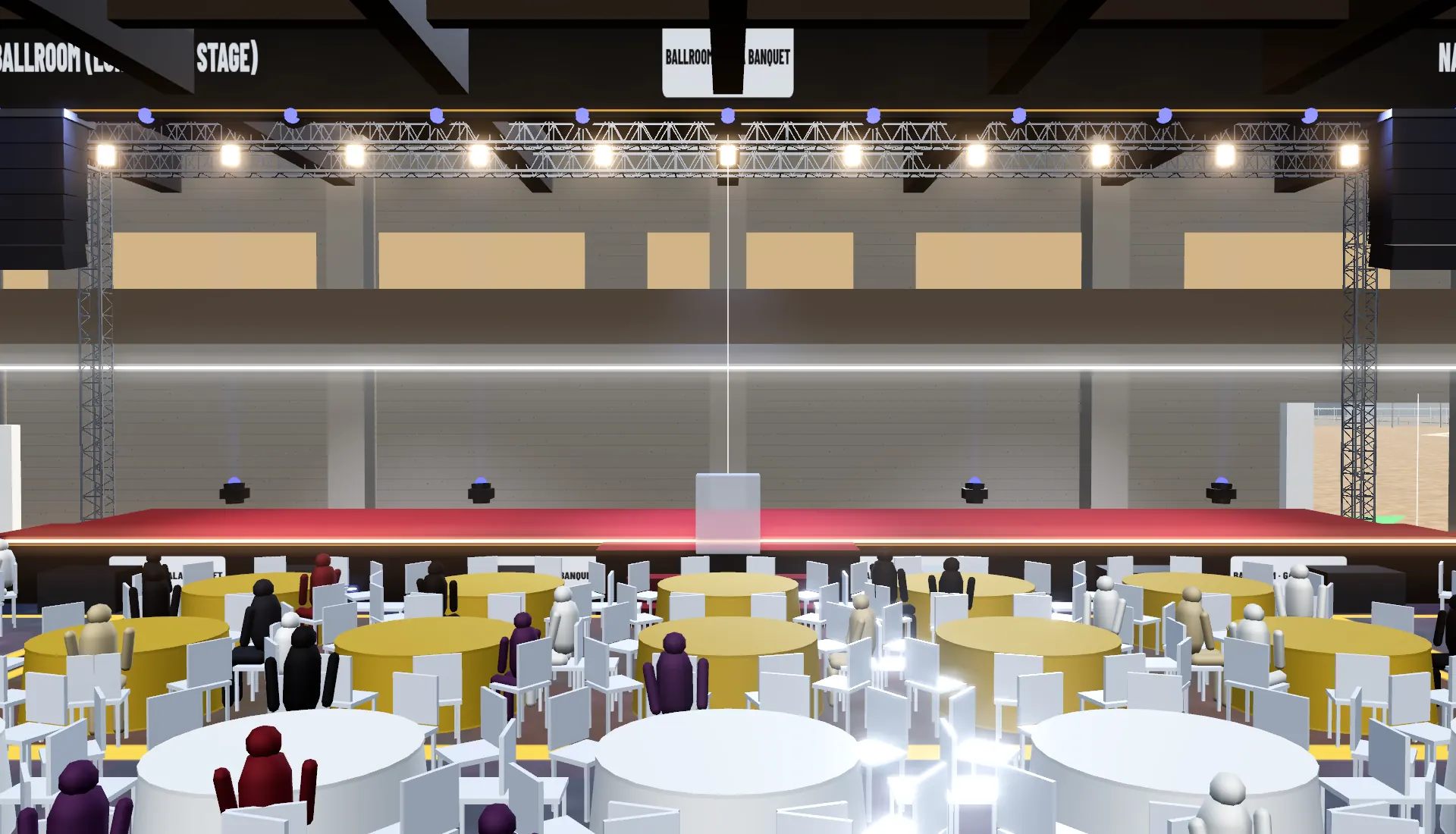
Agree the show before anything is built.
Put the venue, stage, screens and seating in front of your client in 3D, and make every decision on one shared model, weeks before load-in.
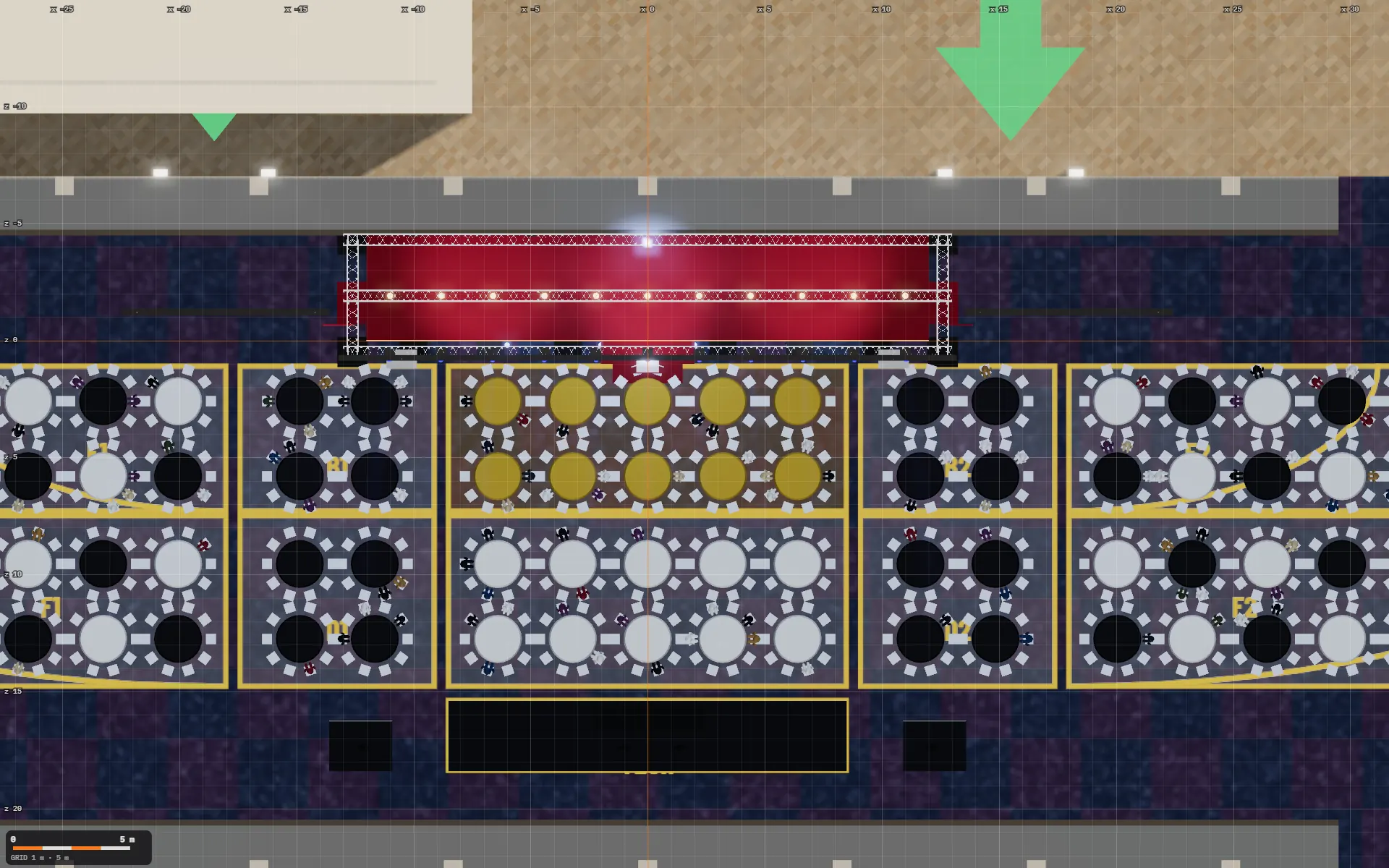 Plan view · to scale
Big events have a lot of people signing off, and the plan never stops moving.

920seats on 92 rounds, counted in the gala banquet template
The client, the venue, production, security and sponsors all need to agree on the layout, what people can see and how they move through the site. Floor plans and mood boards leave room for everyone to picture something different, and every change sends a new PDF round the group.
A 3D model gives them one picture to point at, and it changes while you talk.
A working model, not a pretty picture.
Built to answer the questions that sink events on the day.
 (01)
(01)Does the stage fit?
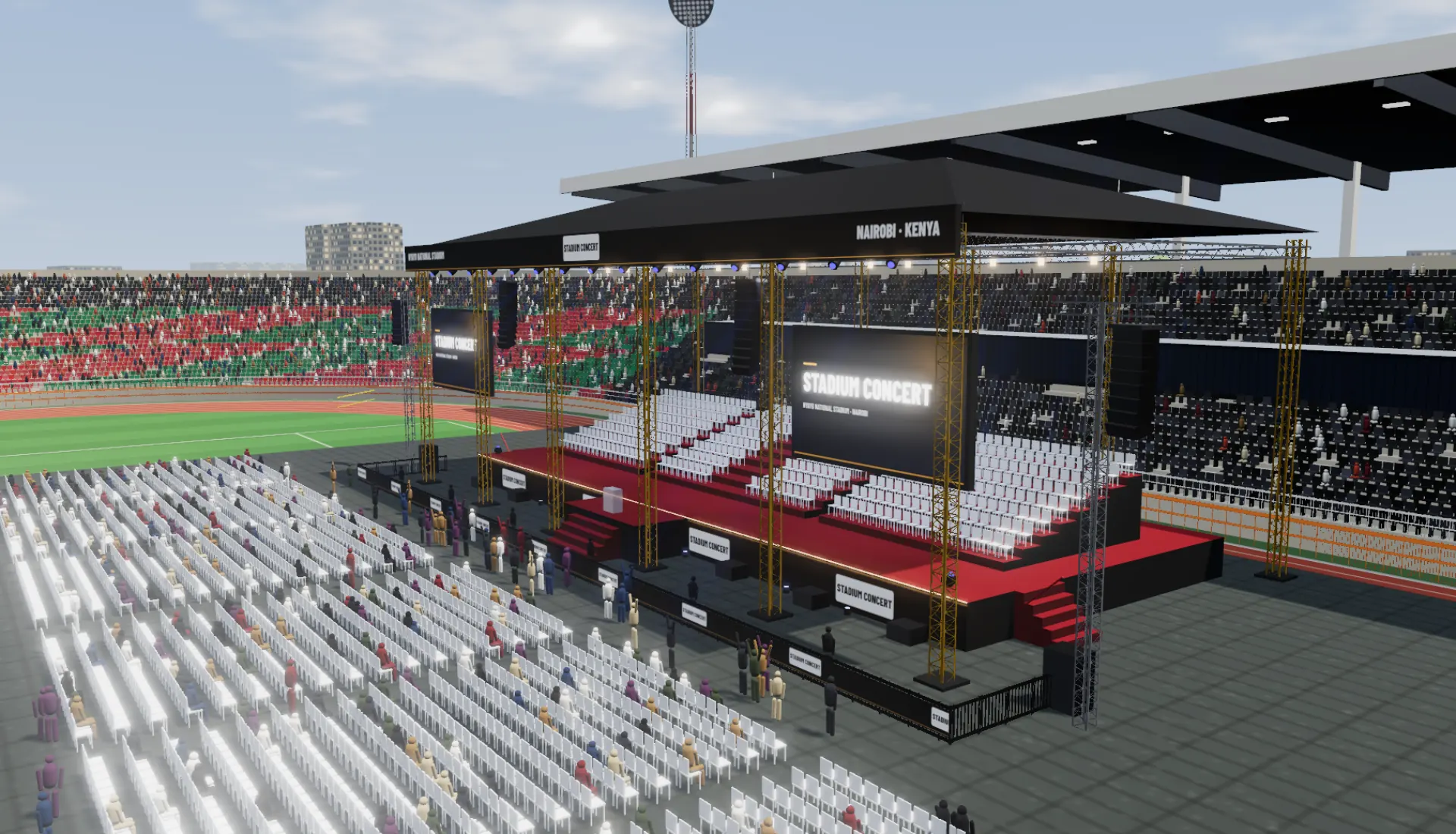
Place it at true size and move it around. Stand seats it covers come out of the head count, and the floor seating re-lays in front of it.
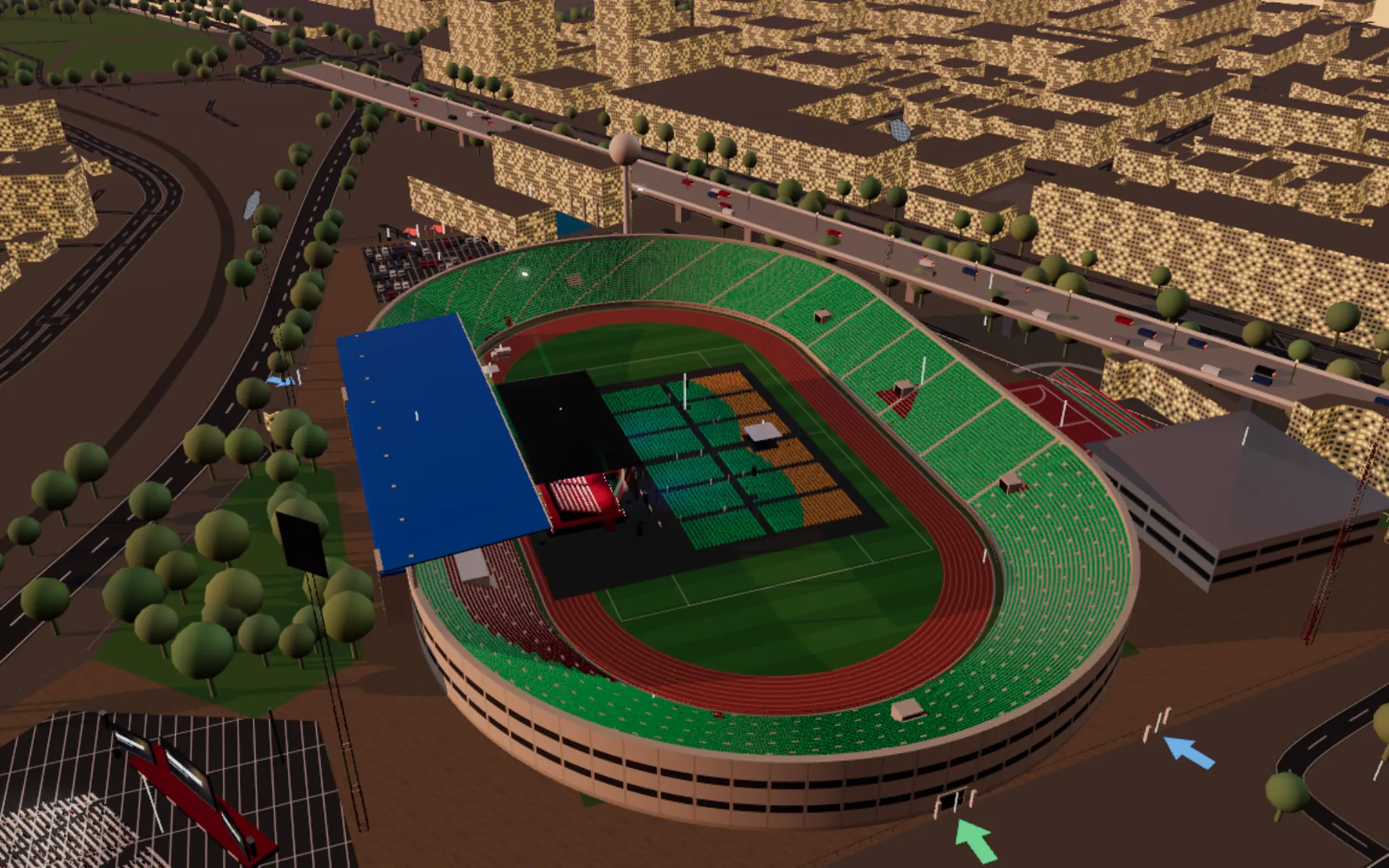 (02)
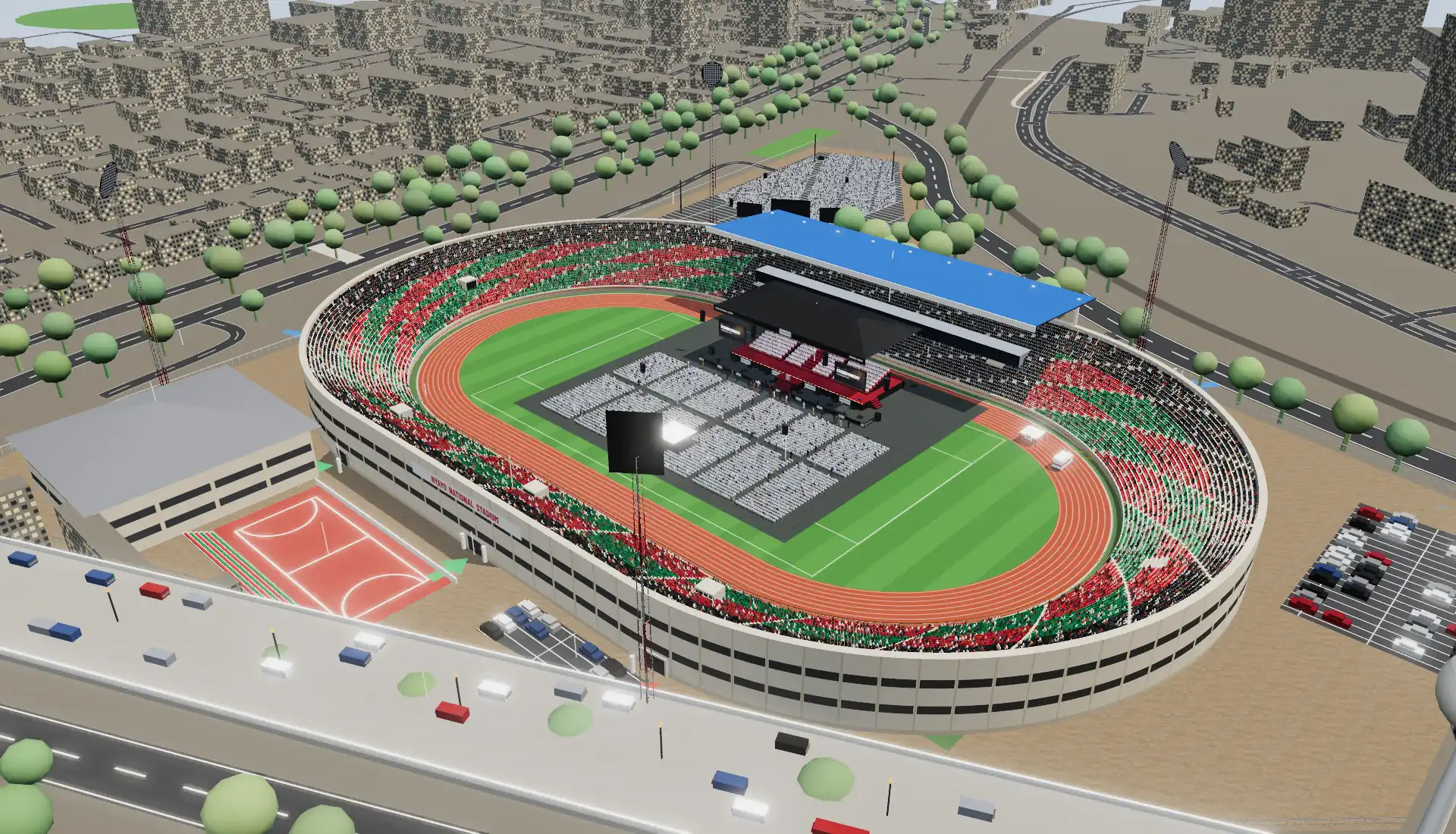
(02)Can the back row see?
Check the view from any seat. The seat map colours every seat good, fair or poor.
 (03)
(03)Is there a way out?
Exits, gate widths and an evacuation run, with an estimated clearing time for each zone.
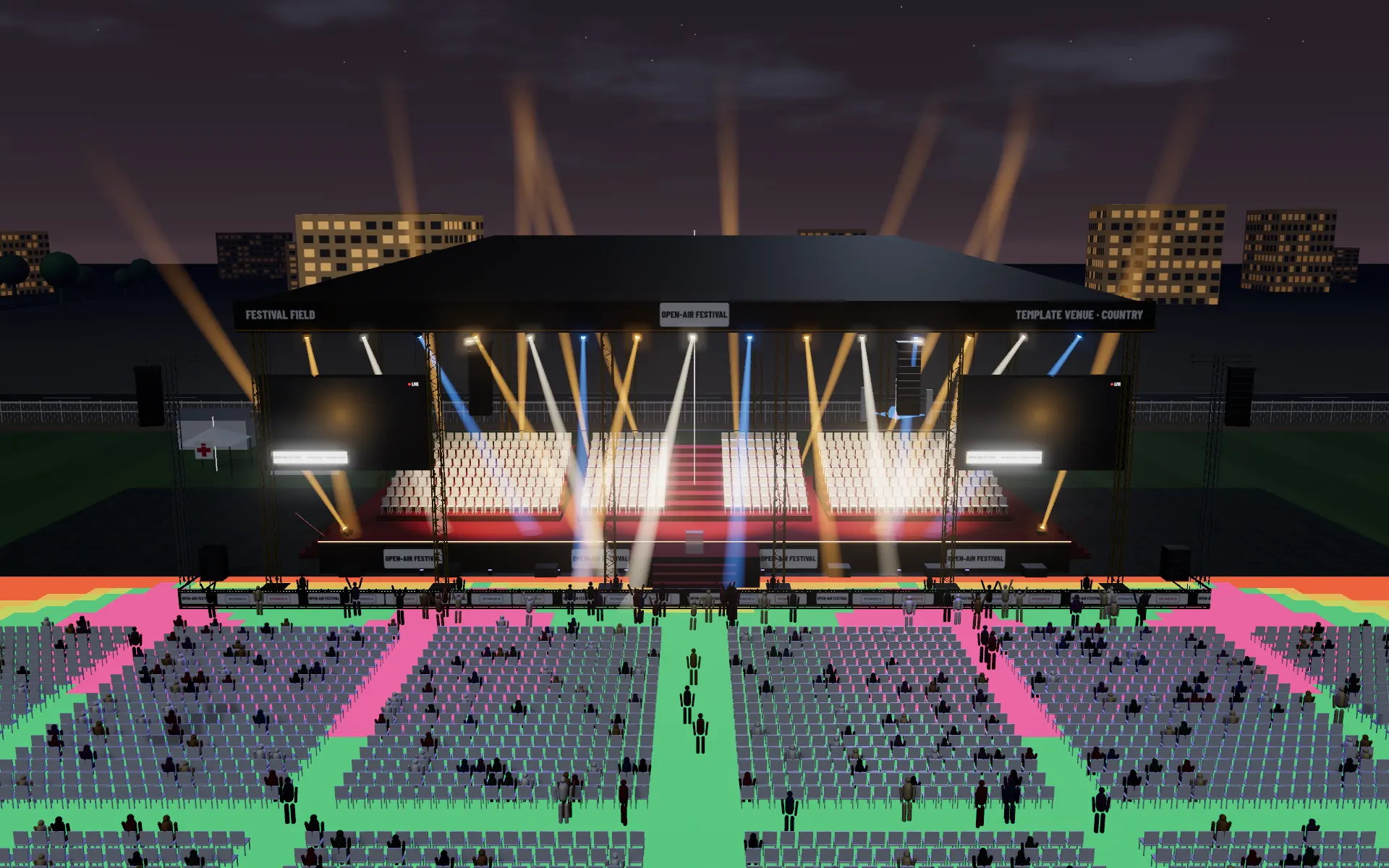 (04)
(04)Will the sound reach?
Coverage across the floor, and the timing for the delay towers.
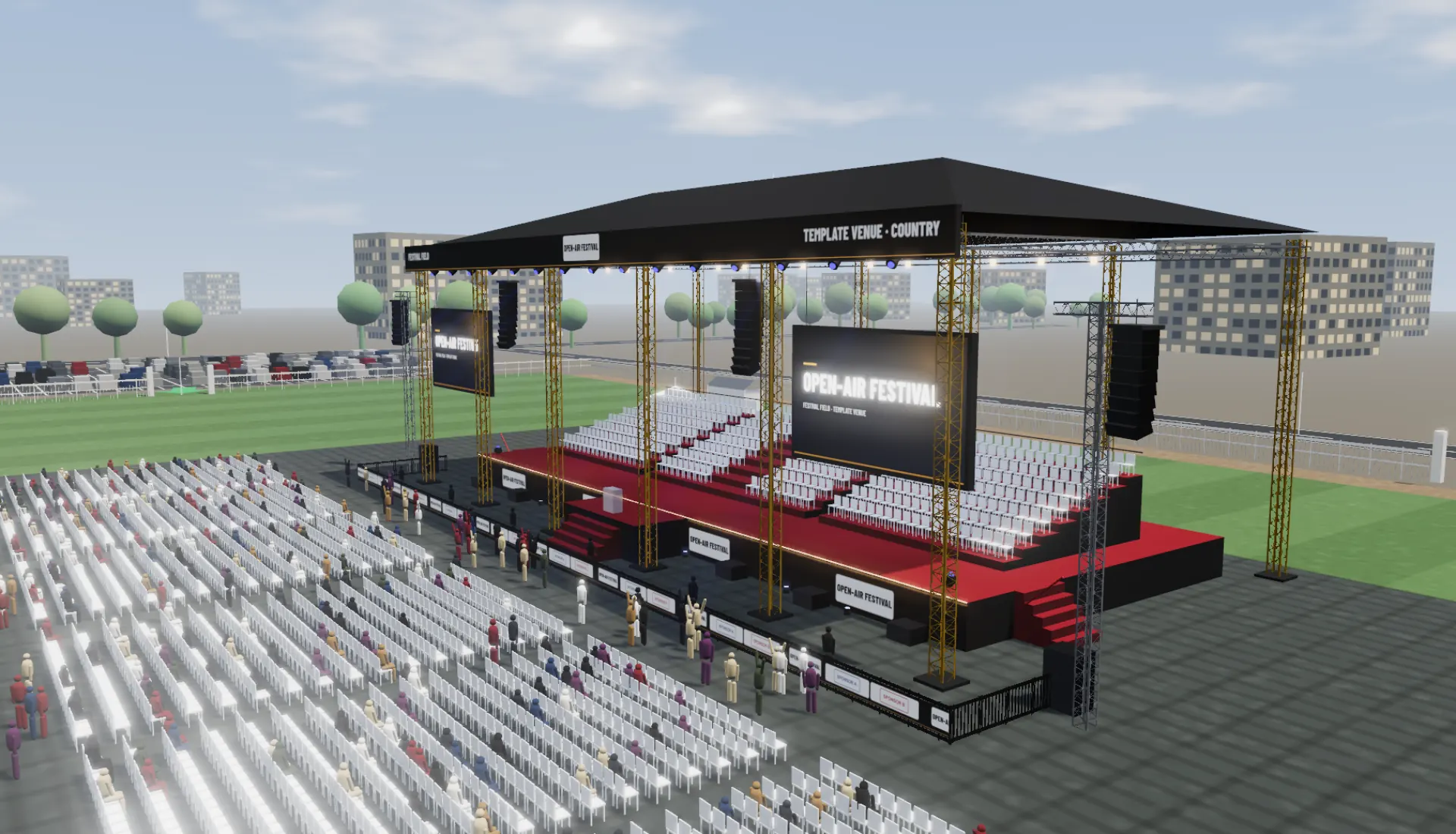 (05)
(05)Is there enough power?
Lighting, audio, video and site loads add up to a generator size, with the roof load per column.
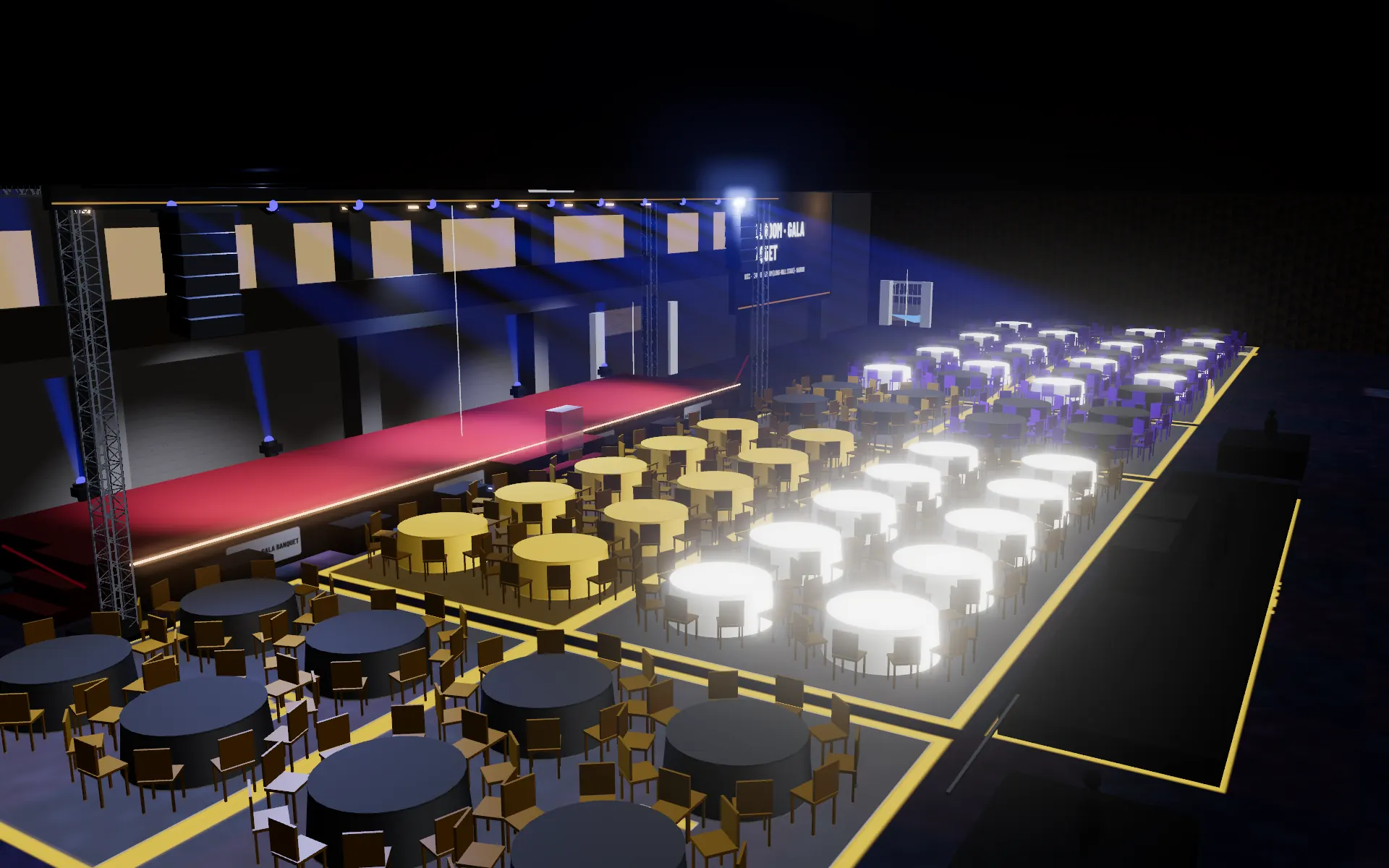 (06)
(06)How many chairs, barriers and toilets?
Counted straight from the layout, not typed into a spreadsheet.
Process
From a blank venue to a signed-off plan.
-
Step 01Start from the venue
Pick a stadium, ballroom or open-ground template, trace your own site from the map, or turn photos of the room or a sketch into a 3D plan.
-
Step 02Build the show
Pick the event type and the guest count and the room is laid out, with one of 23 stage designs. Then change the stage, screens, sound, lighting, seating and kit, from the catalogue or your own 3D models.
-
Step 03Show it from every angle
A top-down plan, the front view, the view from any seat and the tour, all from the one model.
-
Step 04Change it in the room
Move the stage or resize a screen during the call. The client view link opens the latest version, with Options A and B side by side.
Ready when you are. Start free, or start from a photo or sketch
Walk a room now.
This is the view your client gets from your link: drag to look around, scroll or pinch to zoom.
What you hand over.
The client approves what they saw; the crew builds what was approved.
For your client: sign-off without surprises
- (01)Client view linkThe venue and set in 3D in the browser, editing tools hidden. Nothing to install, no account needed.See a sample
- (02)Client proposalKey figures, your quote, inclusions and timeline, with Approve / Request changes. Under your organisation's name.See a sample
- (03)Tour videoMoving shots of the site, the way in, the stage and the crowd, with captions. Play it in the meeting or send the video.See a sample
- (04)Views from the seatsThe view from any seat or standing spot, with a check on what blocks it.
For your crew: numbers counted from the layout
- (05)Capacity & safety sheetCapacities by zone, exits and gate widths, clearing times, and a site-plan snapshot.See a sample
- (06)Equipment listStage and screen areas, truss, speakers, lights, chairs, barriers, tents, toilets and generators. CSV download.See a sample
- (07)Scaled plan & DXFAn A3 plan at a standard scale, and a DXF drawing for CAD.See a sample
- (08)Power & riggingLighting, audio, video and site loads to a generator size; roof load per column and per hang.
Loads, power and egress figures are planning estimates. They don't replace engineering or licensing sign-off.
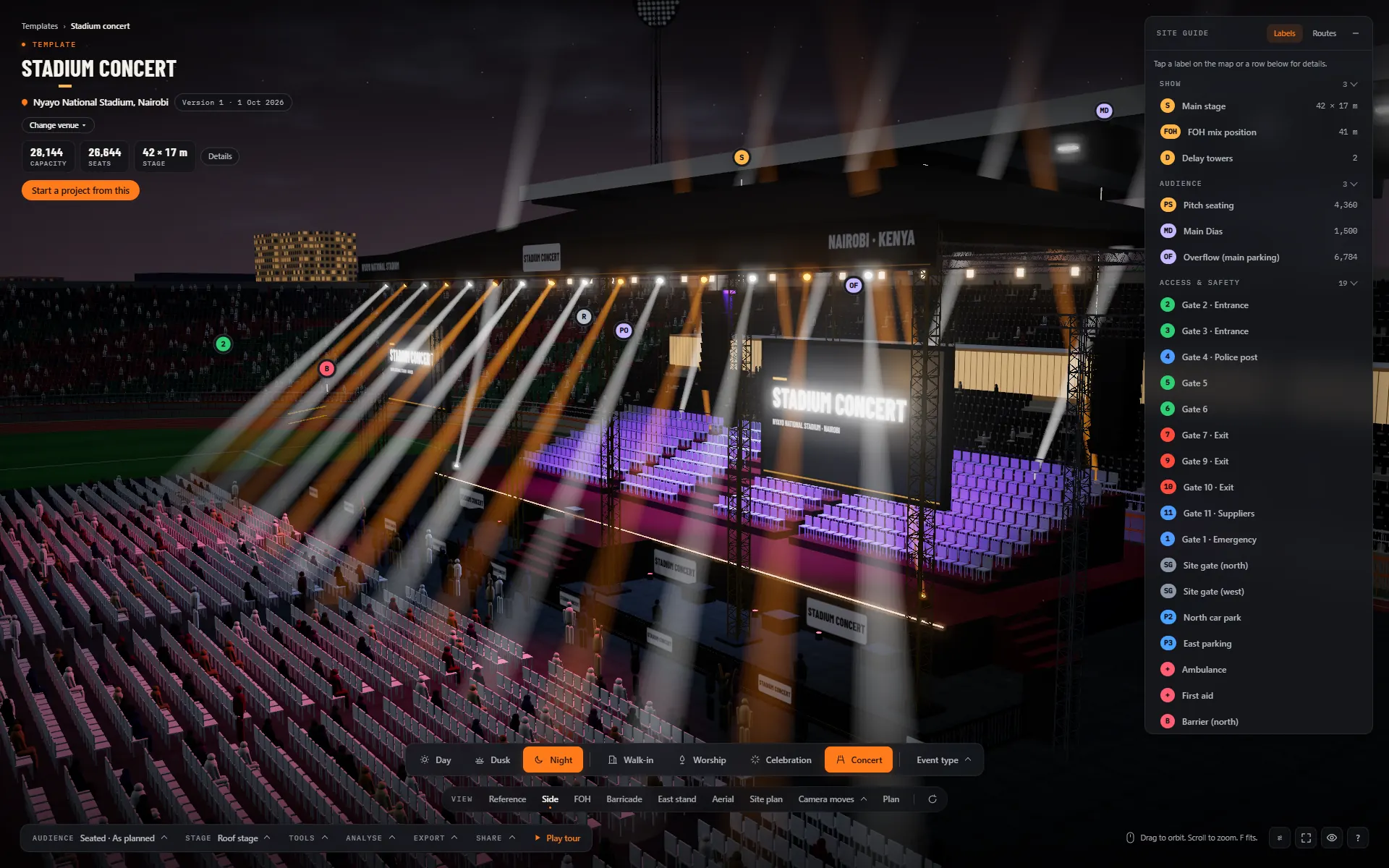
Build from the model the client approved.
Production companies use the same model to work out the stage, screens, sound and power, then take the numbers straight to the warehouse and the suppliers.
What the model covers
- 01.Stage & roof
Deck, thrust, risers, roof and truss, or upload your own stage model at true size.
- 02.Screens & content
LED screens with your slides and sponsor logos on them; image-height checks from the seats.
- 03.Sound
Line arrays, subs and delay towers, with coverage and delay times across the floor.
- 04.Lighting looks
Moving heads, washes and blinders driven by lighting looks, from walk-in to concert.
- 05.Power & rigging
Loads by department, generator size, roof load per column and per hang point.
- 06.Equipment list
Counted from the layout and downloaded as CSV for the warehouse.
Made for.
Each event type sets the lighting look, performers, audience layout and crowd.
Free to try, plans for teams.
Every template and event type is free in the demo. Pro and Team plans add your branding, the tour video export and your team.
Questions planners ask.
01.Does my client need to install anything?
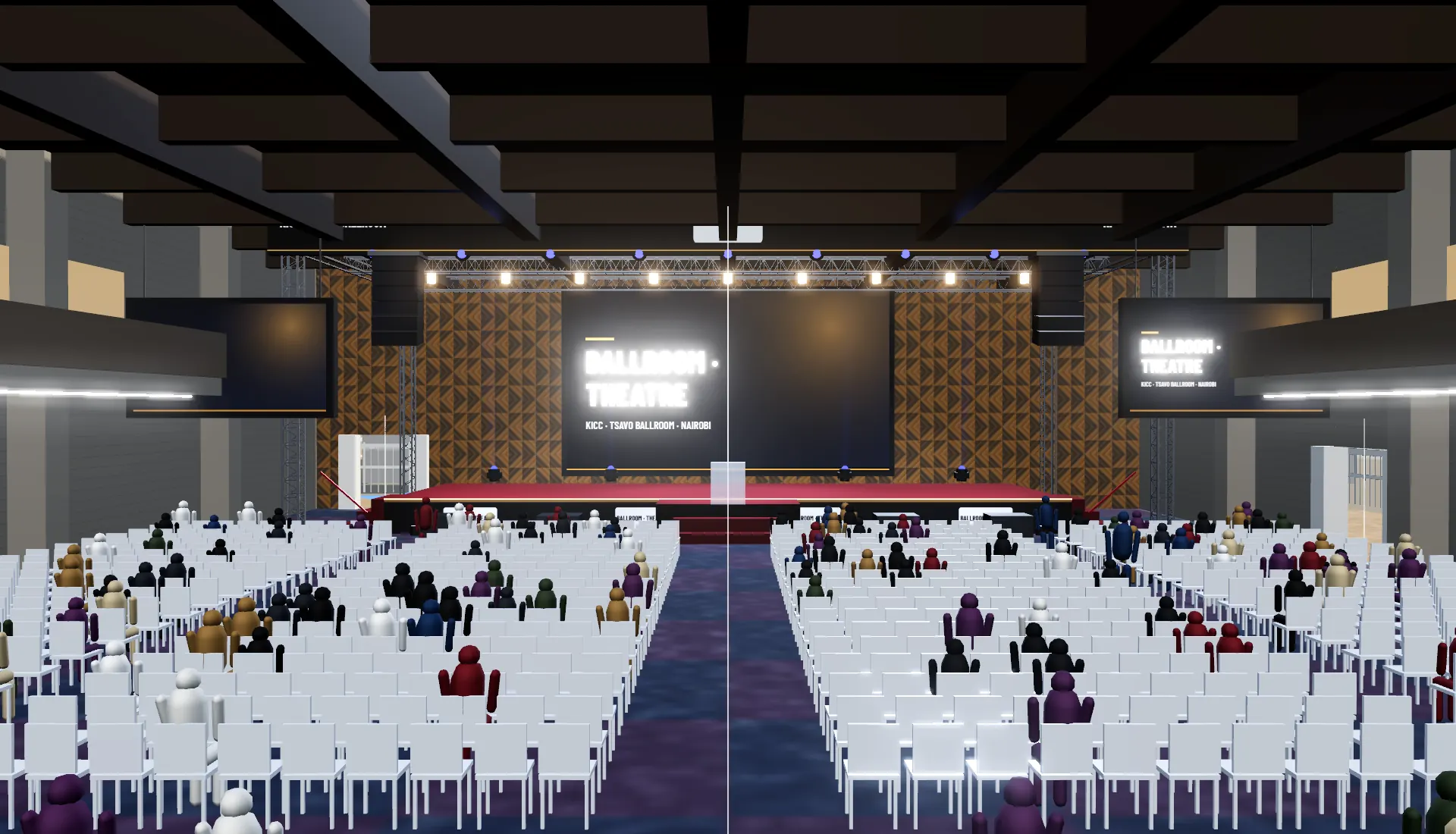
No. The model opens in a web browser on a laptop, tablet or phone. The client view link hides the editing tools.
02.Can I make changes during the meeting?
Yes. Arrange the stage, gear and barriers, change the layout, the lighting look or the time of day, and switch between options while you talk. Save it and the link opens as you left it.
03.My venue is not in the templates.
Search for the place on the map and trace the site, or send us the site plan. New venues pick up the real streets and buildings around them. Venue teams can also claim their venue.
04.Can I use my own stage design?
Yes. Upload a model (glTF, FBX, OBJ and more) and it sits on the stage line at its real size. Or start from one of the 23 stage designs, from a festival arc to a boxing ring, and move, size or remove each part of it on its own.
05.Are my projects private?
Your projects are shown only to your account and the people you invite to them. With an Event Map account they are kept on the Event Map server, so a project opens only for its team; a copy of the site without the server keeps them in your browser, which hides them rather than protecting them.
06.Can the same model sell tickets?
Yes: every chair can carry a seat number and a price. See for ticketing companies.
Pitch your next event in 3D.
Start a project from a template in a few minutes, or tell us the venue and date and we will build the model with you.